Everything in HQ
Your whole firm, run from one place.
HQ is the dashboard that comes with every AttorneyLogic site. Here is all of it: 75 things it does, in eight areas, with the plan each comes with.
- Every planGrowth, Premium, and Landmark
- Premium and LandmarkThose two plans
- Add-onAdded from HQ, same bill
- Coming soonBuilt, opening shortly
01Getting started
From sign-up to live, in one place.
Home shows how close you are to launch. Onboarding asks for everything we need in eight steps you can do in any order, and saves as you go.
In HQ: Home, Firm details, Your web address
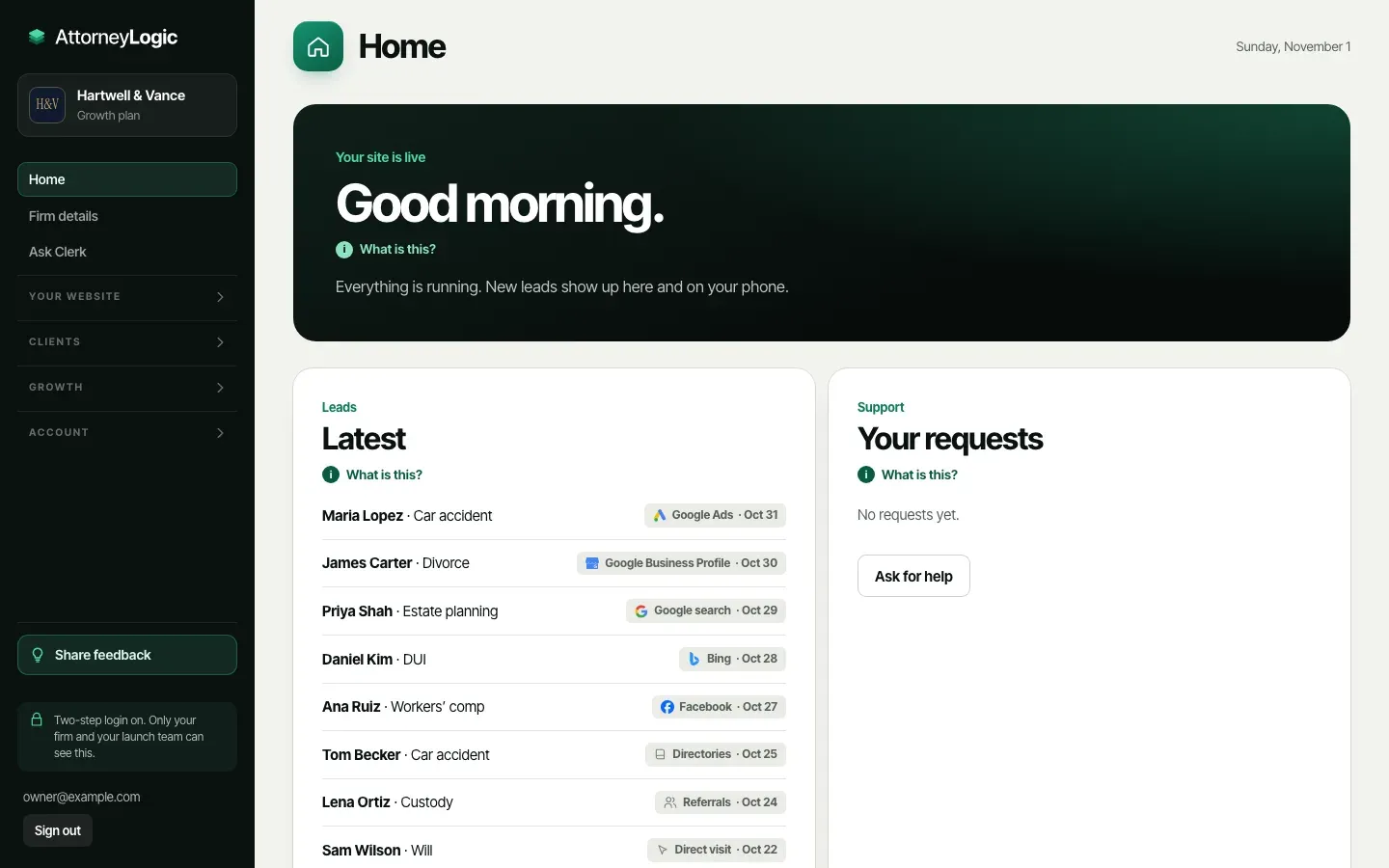
Eight steps, any order
Firm basics, brand, photos, attorneys, your voice, fees, and access. Everything saves as you go, and a bar shows your progress.
Every planYour old site moved over
We move your existing pages over for free: up to 150 pages on Growth, up to 300 on Premium and Landmark.
Every planWords written for you
We write your site’s words in your voice and send them to you. Approve them, ask for changes, or edit them yourself.
Every planLogins kept safe
Invite us to your domain, Google accounts, or old website. A login that can only be shared as a password goes in the sealed Vault.
Every planLaunch when you say
An owner presses Request launch. We go live once your bar number is checked and Guardrail finds nothing that must be fixed.
Every planYour own web address
Connect www.yourfirm.com with one record at your domain company. Your site gets a secure connection, and forms and Google links use it.
Every plan
02Your leads
Every lead, and where it came from.
Forms, chats, bookings, and calls to your tracking numbers land in one list, newest first, with the search, ad, or page that brought each person to you.
In HQ: Leads, Lead details, Team
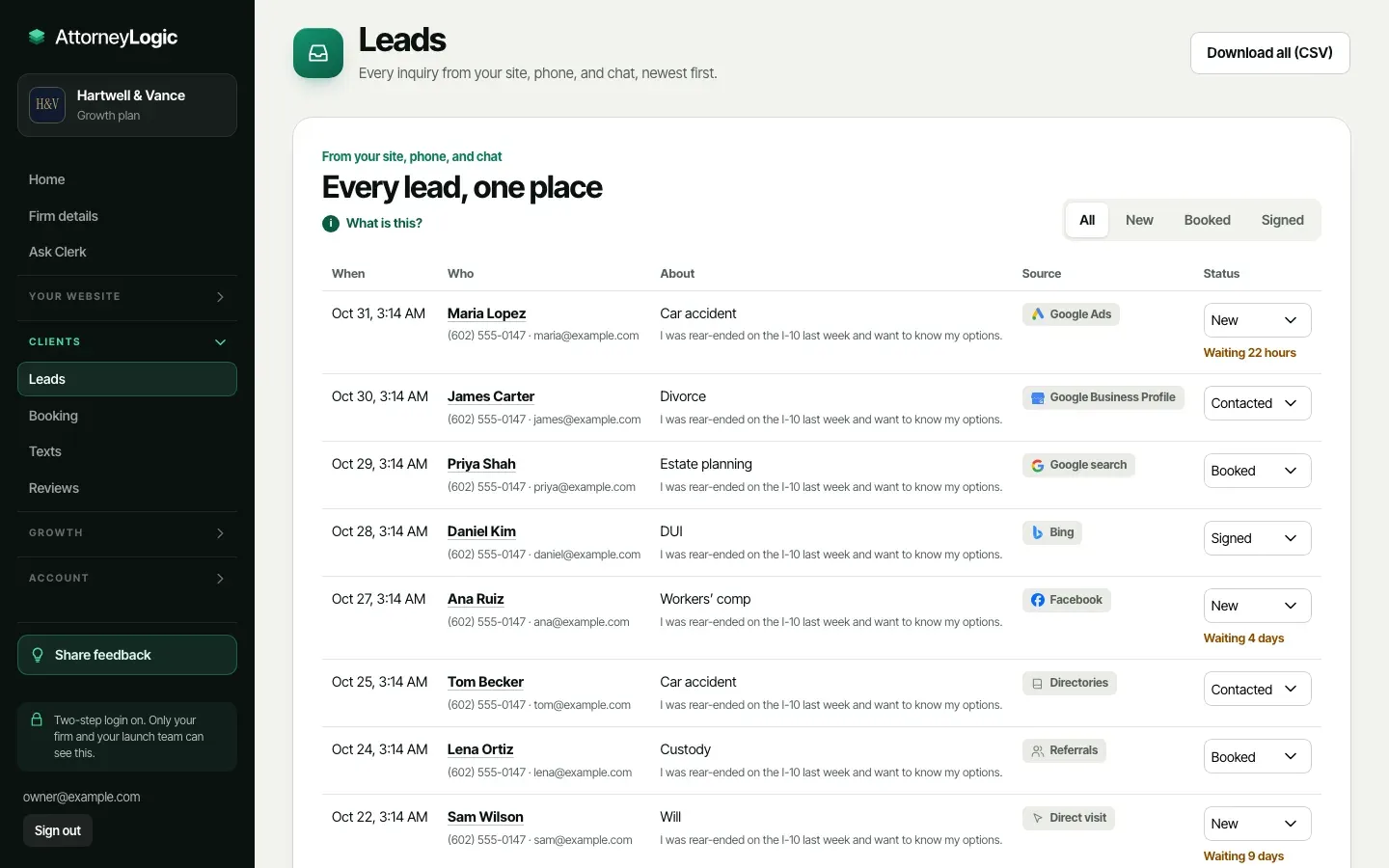
One list for every lead
When they reached out, who they are, what it’s about, and their status: New, Contacted, Booked, Signed, or Not a fit.
Every planWhere each one came from
Google search, Google Ads, your Business Profile, Bing, Facebook, a directory, or a referral. Saved with the lead the moment it arrives.
Every planA page for every lead
Call or email in one tap, read their message and chat, add notes, set a follow-up date and who has it, and see its history.
Every planAlerts the moment one lands
New-lead emails and texts to each person who turns them on, and a pop-up on your computer with the HQ desktop app.
Every planAn instant reply
Within a minute the person gets a short email from your firm: we got your message, and here’s when we’ll call.
Every planThe right person, every time
Pick who gets each practice area and who is on call. New leads are assigned the moment they arrive.
Every planCourt dates come first
Your forms ask about a court date or deadline. Within two weeks, the lead is marked Urgent and goes to whoever is on call.
Every planA conflicts check on every lead
Add the names you can’t take a case for or against. A match gets a Possible conflict tag, and only owners and admins see the list.
Every planSpam kept out of your way
Clear spam is set aside, never emailed to you, and left out of your reports. Not spam brings one back, and you can block a sender.
Every planSent to Clio Grow or Lawmatics
Connect once with a key from your practice software. Every new website lead also lands in your Clio Grow inbox or as a new Lawmatics matter.
Every planA summary of each lead
One or two sentences on what the person needs, written by AI, at the top of each new lead.
Premium and LandmarkDownload every lead
One spreadsheet of every lead, any time. Owners can download all of the firm’s data in one file.
Every plan
03Your website
Change anything, then publish when ready.
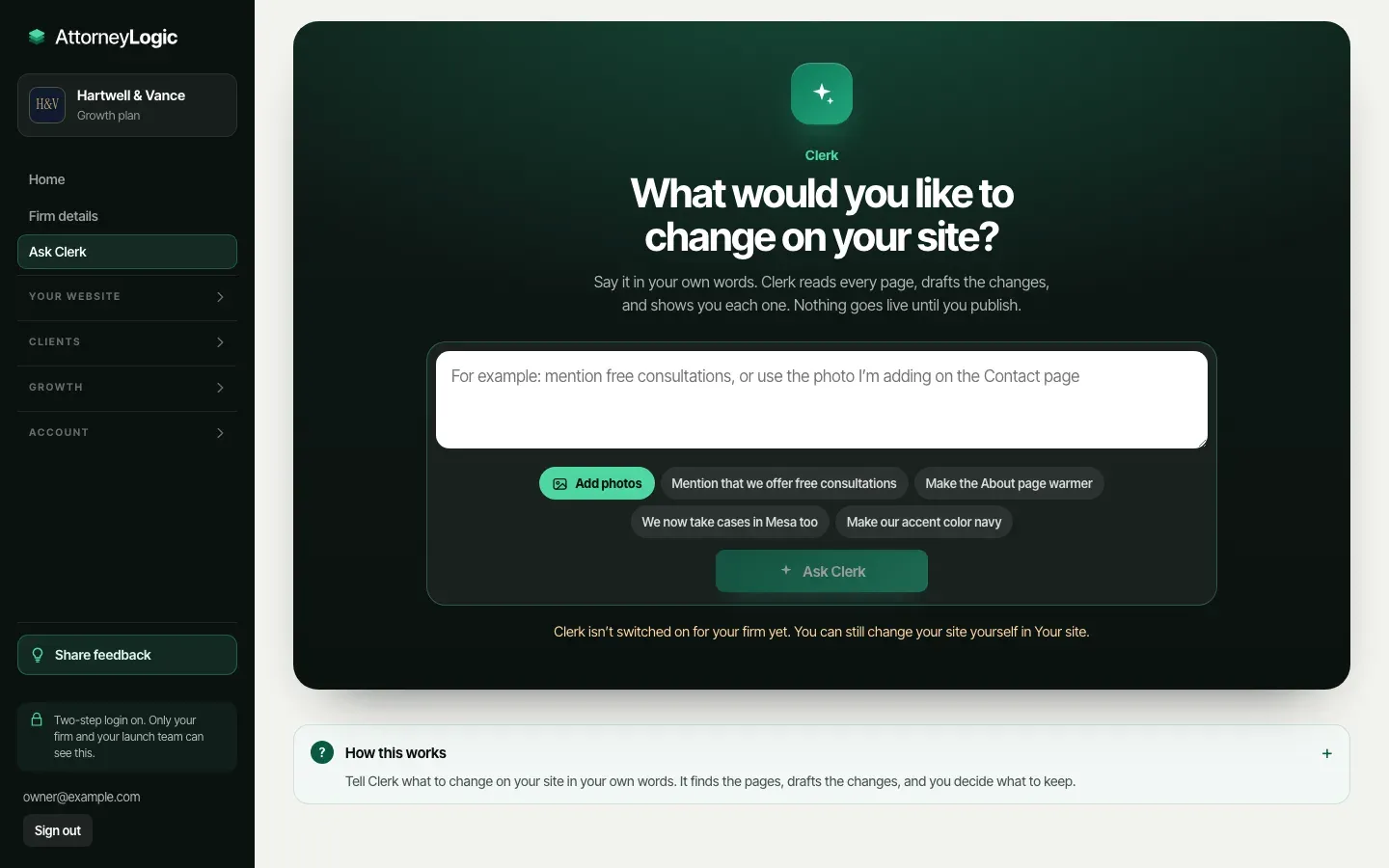
Edit the words beside your real page, or tell Clerk what to change in your own words. Nothing goes live until an owner or admin presses Publish, and every version is kept.
In HQ: Your site, Ask Clerk, Site library, Blog, Spanish
Edit beside your real page
Each page’s words on the left and your real page on the right. Whatever you click is framed in green and updates as you type.
Every planJust ask Clerk
Type what you want changed. Clerk drafts each change with a before and after, and you keep, edit, or skip it.
Every planPublish when you’re ready
Saved edits wait until an owner or admin presses Publish. Your site updates in about two minutes.
Every planEvery version kept
Go back to any earlier version of any part of your site, word for word, with who published it and when.
Every planSections on or off
Switch off any section you can do without, and switch it back on any time. Headings and contact forms always stay.
Every planA banner for news
“Our office is closed Friday,” with a link if you like and a time it turns off on its own.
Every planVideos behind your headlines
Pick a video by practice area from the Site library and choose the pages it plays on, muted and looping.
Every planYour blog, drafted for you
Sourced drafts every month, 4 on Growth and 8 on Premium and Landmark, checked by Guardrail. Nothing posts until you approve it.
Every planCase results
Add your own results, each confirmed accurate and shared with your client’s permission. They show with the results disclaimer.
Verdict and Landmark designsYour site in Spanish
A Spanish copy of every page at /es/, with every line approved by you before it goes live.
Premium and LandmarkA page for every city
A page for each area you serve, written for that city and checked by Guardrail.
Premium and LandmarkYour logo and photos
Every image shows where it’s used. Replace one and it changes everywhere; delete asks first.
Every plan
04Site extras
More than pages.
Payment and client login links, a map, careers with applications, free guides, events, newsletter sign-ups, and your Google tags. Each one in your design, and each one can be switched off.
In HQ: Site extras
A Make a Payment button
Link your LawPay, Clio Payments, or other payment page. Payments go straight to you, never through us.
Every planA Client Login link
Point it at Clio, MyCase, or wherever your clients sign in to their case.
Every planCareers and applications
Post openings with an application form. Each application arrives with the person’s note and resume, seen only by owners and admins.
Every planFree guides
Upload a PDF. Visitors leave their name and email to download it, and each download arrives as a lead.
Every planEvents
Add the date, time, and place, or Online. Sign-ups arrive as leads, and past events drop off on their own.
Every planNewsletter sign-ups
Sign-ups from your footer are listed in HQ. Download the list for Mailchimp or any email tool.
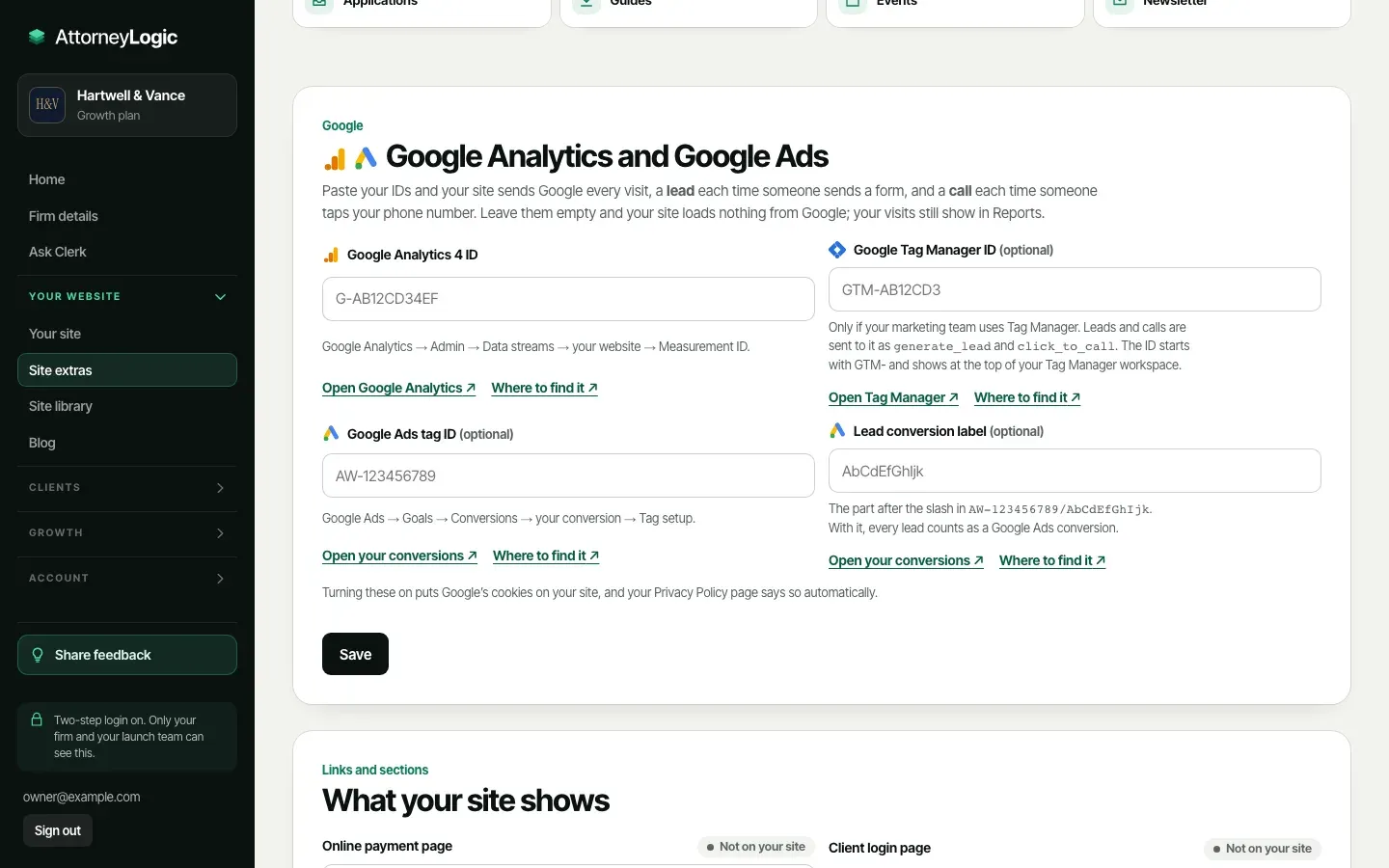
Every planGoogle Analytics and Tag Manager
Paste your ID and Google counts every visit, a lead for each form sent, and a call for each tap on your number.
Every planGoogle Ads conversions
Add your Ads tag and lead label, and every lead counts as a conversion in Google Ads. No code needed.
Every planA map on your Contact page
Your office on a map, on by default, and switched off with one click if you prefer.
Every plan
05Booking, reviews, and texts
Booked, reviewed, and remembered.
Visitors pick a consultation time from your hours. Happy clients are asked for a Google review. And the people who agreed to hear from you get a text when it matters.
In HQ: Booking, Reviews, Texts
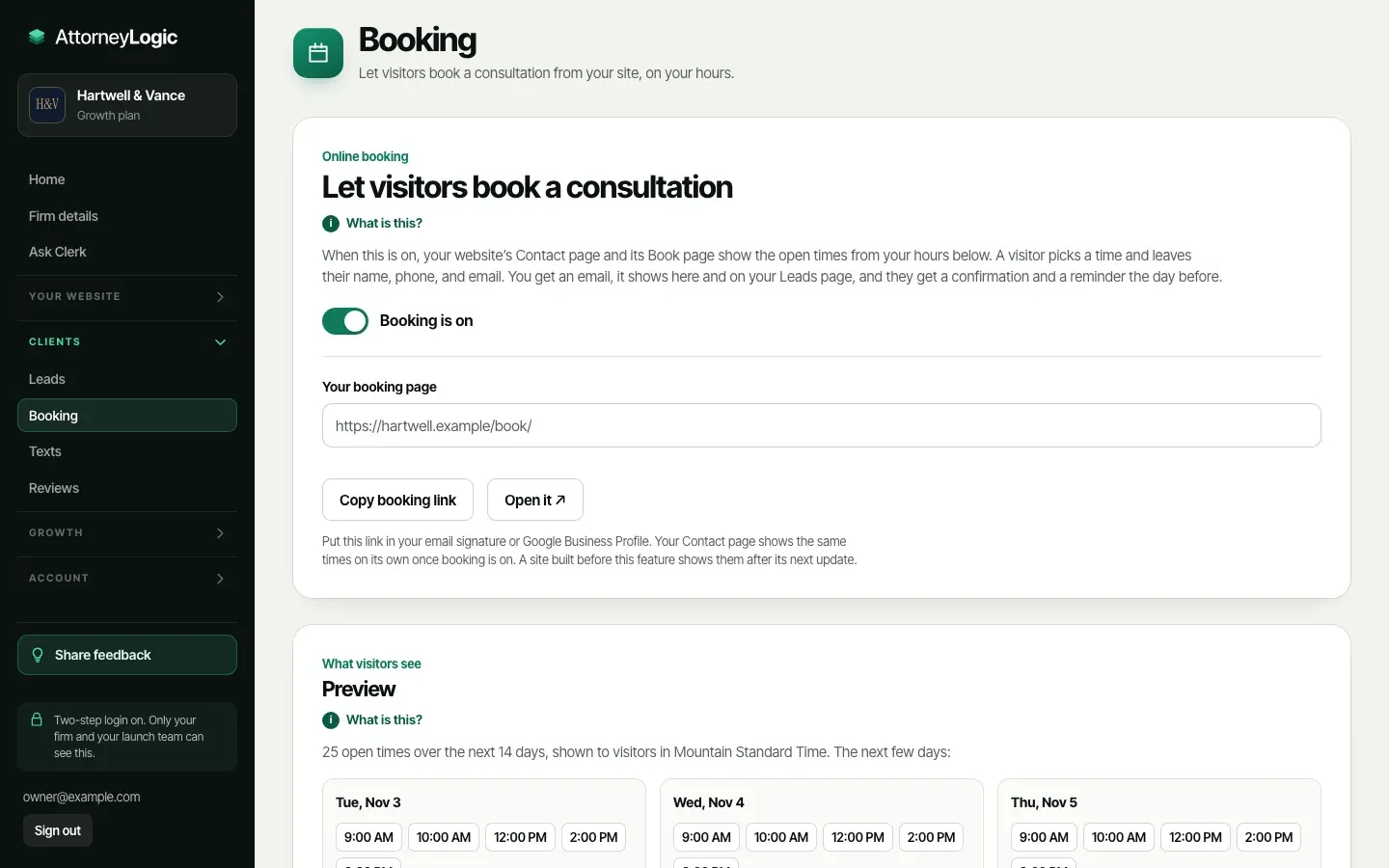
Online booking on your hours
Set your weekly hours, consultation length, breaks, and notice. Your Contact page and Book page show the open times.
Every planConfirmations and reminders
The visitor gets a confirmation with a calendar file and a reminder the day before. Your team gets an email.
Every planPaid consultations
Add your fee and your LawPay, Clio Payments, or Stripe link. Your site shows the fee before people pick a time.
Every planYour live Google rating
Link your Google listing once, and your site shows your current rating and review count, always up to date.
Every planReviews on your site
Each month we add your best new Google reviews. Add your own, or bring in many at once from Google Takeout.
Every planAsk for a Google review
When a client is marked Signed, send one short email asking for a review. The same words for every client, sent once.
Every planTexts to your list
News, a closed day, or a reminder to everyone who agreed to get texts. Checked by Guardrail, with your name and how to stop.
Coming soonText sign-ups on your site
An unticked “Text me updates too” box on your newsletter sign-up. People join only after they reply YES.
Coming soonText back a missed call
A caller you missed gets one short text from your tracking number, so they don’t call the next firm.
Coming soon
06Reports and ads
Know what brings you clients.
On the 1st of every month, one clear report: how many people reached out, how they found you, and what each lead and signed client cost.
In HQ: Reports, Google Ads, Settings
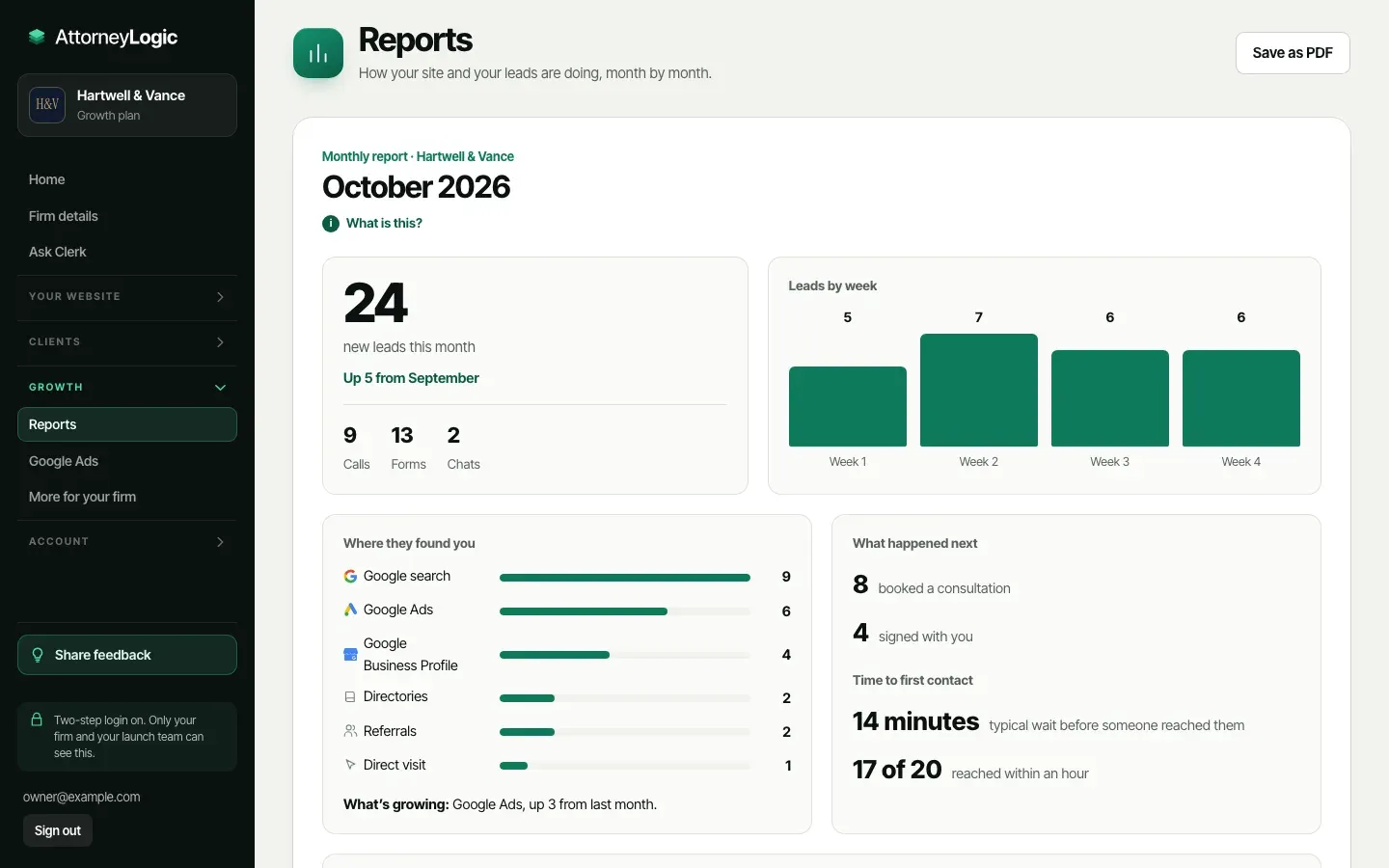
A report on the 1st
Leads by week, calls, forms, and chats, compared with the month before. Save it as a one-page PDF.
Every planWhere they found you
Leads by source, and what’s growing: “Google Ads, up 3 from last month.”
Every planCost per signed client
Enter what you spent on Google Ads, Microsoft Ads, Facebook and Instagram ads, or directories. The report shows cost per lead and per signed client.
Every planBooked, signed, and how fast
How many booked a consultation, how many signed, and how long people waited before someone reached them.
Every planVisits, without cookies
Your site counts its own visits, pages, and where visits came from, with no Google account and nothing that identifies a visitor.
Every planYour Google numbers
Connect Google once: Business Profile calls, clicks, and direction requests, and the searches your site shows up for.
Coming soonAdvocate for Google Ads
We audit your account, set it up right, and watch it every day. Changes that spend money wait for your OK, under your limit.
Add-onEvery ad change logged
With Advocate, every change to your Google Ads, big or small, is listed in HQ. You keep the account and the billing.
Add-onCall tracking numbers
A separate number for each place you advertise, up to 5. Every call lands in your Leads and your report with its source.
Add-on
07Bar rules and records
Safe to publish, with proof.
Guardrail checks every word against your state’s lawyer advertising rules, and HQ keeps a dated record of every change and every version of your site.
In HQ: Activity, Team, Settings, AI-use policy
Guardrail on every word
Words that promise results can’t be saved. Words worth a second look are flagged for you to decide.
Every planYour live site, checked daily
Every day Guardrail reads your live site again and lists anything it finds.
Every planAccessibility on every update
Photo descriptions, link and button names, form labels, and headings are checked each time your site updates.
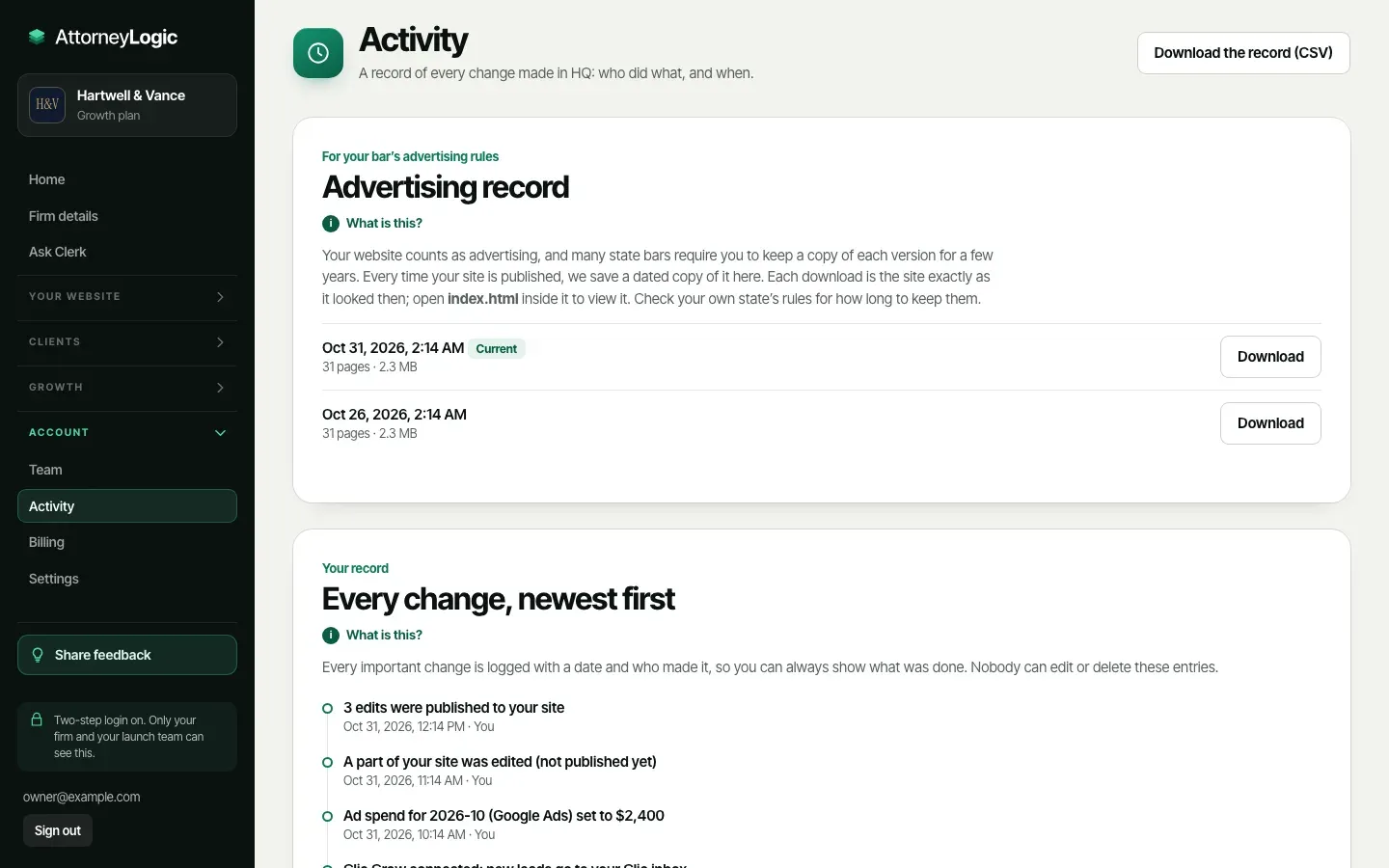
Every planAn advertising record
A dated copy of your website from every publish, ready to download when your bar asks.
Every planEvery change, on record
What changed, when, and who did it. Nobody can edit or delete an entry, and you can download the whole record.
Every planRoles for your team
Viewer, Staff, Admin, or Owner. Everyone signs in with their own email and two-step login, with no password to share.
Every planA chat that says it’s automated
Your website chat says up front it’s an automated assistant and gives no legal advice. Each conversation is saved with the lead.
Every planAn AI-use policy for your firm
A ready-to-adopt policy for how your team uses AI, with your firm’s name in it. Free.
Every planAll your data, yours
One download with your leads, notes, site writing and its history, reviews, reports, and every file you uploaded.
Every plan
08Help, billing, and add-ons
Help on every page.
Every HQ page explains itself in plain words. Ask us anything from HQ, change your plan yourself, and add services to the same monthly bill.
In HQ: Help, More for your firm, Billing, Settings
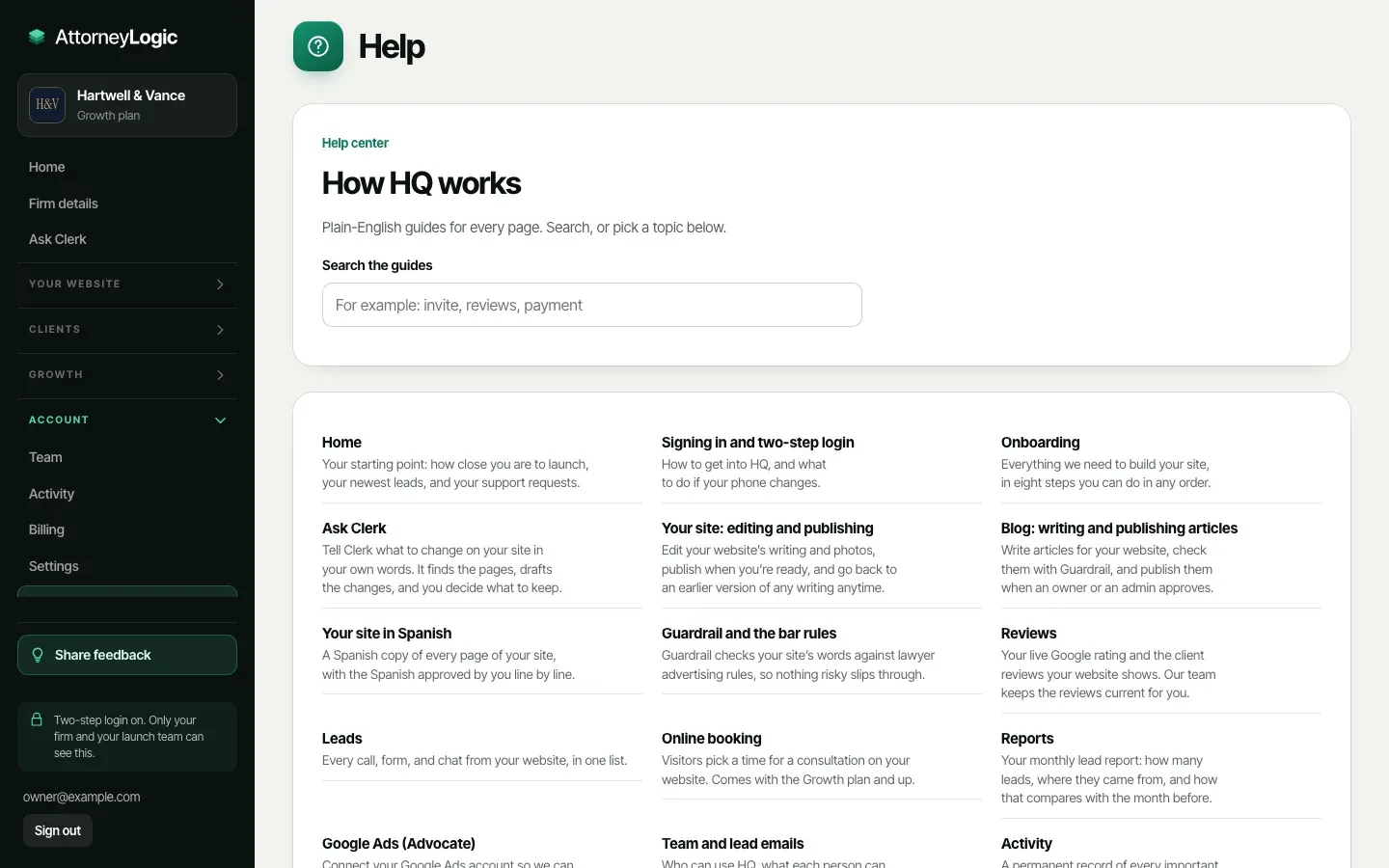
A guide on every page
How this works opens on each page, and Help lists every guide with search. No manual to read first.
Every planSupport from inside HQ
Send a request, follow its status, and get our answer by email. Premium and Landmark requests go first.
Every planIdeas and wish lists
Share feedback from any page: an idea, something you wish HQ did, a problem, or a question.
Every planBilling you run yourself
Change plans with the exact amount shown first, update your card or bank account, download every invoice, or cancel any time.
Every planA desktop app
Install HQ on your computer and it opens in its own window, with a pop-up for each new lead.
Every planUsher, AI receptionist
Answers the calls your office misses, says it’s automated, takes the details, and books the consultation.
Add-onLead follow-up emails
Up to three short emails in your firm’s name to a lead who hasn’t heard back. You approve each one first.
Add-onCare plan
Rather not touch your site? Send up to 5 changes a month from HQ, each done within 2 business days.
Add-onTailored design changes
Changes made only for your firm, from small touches to your own homepage. You see the price and a preview first.
Add-on
Screens are HQ with sample data for a test firm. Texting depends on carrier approval, and the Google connection on Google’s approval of our app; both are built and open once approved.
Your next client is searching.
Give them a site worth calling. See yours on a preview address minutes after you sign up.